
An AI WhatsApp agent for leads, replies and bookings.
For teams whose WhatsApp is busy all day: igentor answers in seconds, checks the calendar, books, sends reminders and saves each inquiry as a lead. Your team sees every chat.
No credit card · booking page free for life
No code and no new number
- 24/7AI replies
- Free trialno credit card
- 1-clickhuman takeover
- Any languagethe agent replies in the customer's language
What the assistant actually does
Each page describes one part of the product that is available today: conversations, leads, appointments, automations and reports.
AI and customer conversations
- AI WhatsApp assistant
Reads a normal WhatsApp message, answers in the customer’s language, and hands the chat to you when a person is needed.
- AI customer service
Answers repeated questions from your documents and rules, and escalates what only you know.
- Automated receptionist
Replies on WhatsApp, books appointments and hands enquiries to your team when needed.
- Instagram and Messenger
The same agent answers Instagram Direct and Facebook Messenger, on Business and up.
Leads and customers
- WhatsApp lead management
Every new inquiry is kept with its conversation, a stage, and the channel or ad it came from.
- WhatsApp CRM
A customer record with conversations, appointments, visits, payments and notes. Not a sales board.
Appointments and calendars
- AI appointment scheduling
Understands the request, checks real availability, offers times, writes the appointment, and can move or cancel it later.
- Appointment reminders
A WhatsApp reminder from your own number before the appointment, with confirm or move in the same message.
- Online booking system
The calendar, the public booking page and reminders, including the free booking page.
Automation and campaigns
- WhatsApp automation
Scheduled notes to you, reminders and after-visit messages to customers, campaigns, and webhooks.
Running the business
- AI business assistant
A private chat for the owner: book, move, ask who is coming, message a customer, and update a rule.
- Customer analytics
Bookings, revenue, new and returning customers, and which channel or ad they came from.
Want to see it work?
Message the agent on WhatsApp about your business and it builds a live example: a booking page with your services and an agent that answers the way it would answer your customers.
All your channels, one tidy answer
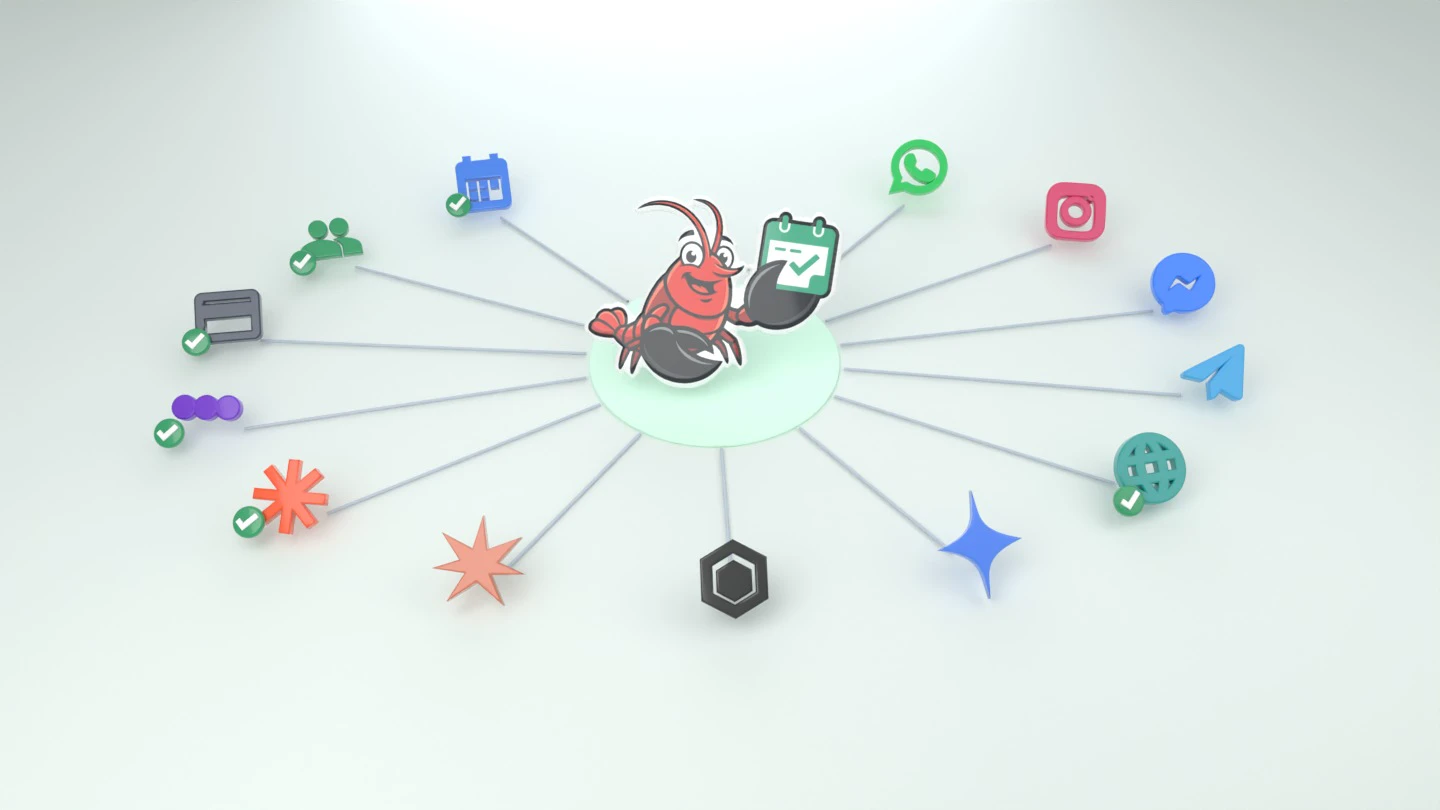
Customer messages from WhatsApp, and on Business and up from Instagram and Messenger too, reach one agent. It replies in the customer's language, books the appointment in your calendar, saves the customer as a lead and connects it all to payments and your tools. You run the business from a private assistant in the dashboard or on WhatsApp.

The customer writes in her language
The agent replies in the same language
Everything is recorded for you
Works with
WhatsAppInstagramFacebook MessengerGoogle CalendarTelegramZapier · MakeEvery enquiry, from first message to returning customer
The three stages where a busy business loses enquiries. The agent works in each one.
- 1 · Capture
Fewer enquiries slip through the cracks
WhatsApp, and on Business and up Instagram and Messenger, in one inbox. The agent answers messages within seconds, day and night, even when dozens arrive in the same hour, and keeps each lead with the channel it came from.
- 2 · Convert
Turn an enquiry into a booking
The agent answers from your own knowledge, offers real free times from your calendar and books the appointment. Open leads stay in front of you until they close.
- 3 · Retain
Bring the customer back
A reminder before every appointment, a message after it, campaigns to the right customers and a list of who is due for a return visit.
What the WhatsApp agent does: replies, bookings, reminders and leads
WhatsApp appointment booking for businesses that get dozens of messages a day: the agent handles several conversations at once, books in Google Calendar, sends reminders and payment links, and passes the team only what needs a person.
Free booking page
A public booking page that stays free for life. Customers schedule online, even without a paid AI plan.
CRM & lead management
Every new inquiry is captured as a lead and kept with its conversation and notes. See who is new, booked or waiting, in one place.
Automations
Schedule recurring AI tasks or fixed messages, no code needed.
Owner approval flow
Choose whether the agent books on its own or each booking waits for your approval on WhatsApp.
- AI replies, 24/7
- Replies within seconds, at night and at peak hours, in your tone and the customer's language.
- Run the business in chat
- Text the agent like a personal assistant: book or move an appointment, message a customer for you, update a price or a rule.
- Understands photos and voice notes
- Reads the photo a customer sent, understands a voice note, and sends photos from your gallery when they help close a booking.
- Payments & reminders
- Send payment links and WhatsApp reminders before every appointment automatically.
- Knows when to hand it to you
- A request for a real person, or a question only you can answer, reaches you right away, with a reminder if it goes unanswered.
- Campaigns & broadcastsBusiness and up
- Reach your full contact list or a targeted segment in one campaign, sent in a staged, safe-paced rollout.
- Analytics & expenses
- Track bookings, revenue, credit usage, and AI activity over time.
- Any language
- Replies in the language the customer wrote in: Hebrew, Arabic, Russian, English and more, with no setup.
Booking appointments on WhatsApp, in 3 steps
No code and no new number, and everything stays under your control.
Connect WhatsApp
Press "Connect WhatsApp Business" in your dashboard and confirm your number in Meta's window. Your existing number stays unchanged.
Describe your business
Set your tone, upload FAQs, define working hours and services.
Let it work for you
The agent replies, books appointments and saves each inquiry as a lead. You see every conversation and can step in with one tap.
Who is it for?
Businesses whose calendar is the product and whose WhatsApp is full: clinics, aesthetic and laser centres, businesses with several staff members. Pick your trade to see how it works there.
What is an AI booking agent, exactly?
An AI booking agent is software that connects to your business's existing WhatsApp number, reads the messages arriving there and handles them for you: it works out what the customer asked for, checks what is open in your calendar, offers times, books the appointment and sends the confirmation and reminder. All of it happens in an ordinary WhatsApp conversation, the customer installs nothing and fills in no form.
The difference from familiar systems is where they meet the customer. A classic calendar system gives you a booking page and waits for the customer to open it and pick a slot. That works well for someone who already knows exactly what they want, but many enquiries start as a question rather than an order: "any space this week?", "how long does it take?", "what would suit me?". A booking page answers none of those, and the customer goes back to WhatsApp.
igentor answers those questions first and books second, at any hour, in whatever language the customer wrote in, and for several customers at once. Appointments land in your Google Calendar as real events, reminders go out from your business number, and you see every conversation live and can take it over in one tap. The booking page and calendar stay free for life; they just no longer work alone.
Does this replace the system I already have?
Not necessarily, and it depends on the business. If most of your customers already book themselves through a page and you rarely answer messages after hours, what you have is probably enough. If you answer "do you have space on…?" every day, in the evenings and mid-treatment, that is precisely the part the agent takes over. A full comparison of the three approaches, including the cases where you are better off paying for nothing:
| Booking page | Menu bot | igentor | |
|---|---|---|---|
| Who answers the customer | Nobody, the customer fills in a form | A fixed menu of buttons and options | An AI agent, in free text, at any hour |
| A question that is not on the menu, like "any room this week?" | Not answered, so the customer goes back to WhatsApp | Goes back to the menu or waits for a person | Answered first, and then the appointment is booked |
| When a person is needed | Everything is handled by you, by hand | Moves to a manual chat | Passed to you with one tap, with a reminder if unanswered |
| Best for | Customers who know exactly what they want | Short, repeated enquiries with a fixed answer | Businesses that get many WhatsApp enquiries a day |
Booking page
- Who answers the customer
- Nobody, the customer fills in a form
- A question that is not on the menu, like "any room this week?"
- Not answered, so the customer goes back to WhatsApp
- When a person is needed
- Everything is handled by you, by hand
- Best for
- Customers who know exactly what they want
Menu bot
- Who answers the customer
- A fixed menu of buttons and options
- A question that is not on the menu, like "any room this week?"
- Goes back to the menu or waits for a person
- When a person is needed
- Moves to a manual chat
- Best for
- Short, repeated enquiries with a fixed answer
igentor
- Who answers the customer
- An AI agent, in free text, at any hour
- A question that is not on the menu, like "any room this week?"
- Answered first, and then the appointment is booked
- When a person is needed
- Passed to you with one tap, with a reminder if unanswered
- Best for
- Businesses that get many WhatsApp enquiries a day
A booking page, no subscription, no expiry
Every business that signs up gets a public booking page that stays free forever, even after the trial, even without a paid plan. That is how we grow: start free, upgrade when you need the WhatsApp AI agent.
Pricing for your WhatsApp booking agent
Start with a Pro-feature trial, no card required. Your booking page stays free for life. Prices are final: igentor is a VAT-exempt dealer and charges no VAT.
Free
₪0
Booking page and calendar, forever, no card.
Pro features: 30 days free / 3,000,000 trial credits
Booking page free for life
Calendar of booked appointments
No credit card
Pro
₪199
/ mo
Every agent and personal-assistant feature, including voice, images and the waitlist.
7,000,000 credits / mo (about 540 agent messages)
AI agent on WhatsApp, reminders & analytics
Personal assistant for the owner: self-chat, Telegram and dashboard
Appointment waitlist
Up to 2 professionals on the team
Voice notes & voice replies, images, documents & custom skills
Business
Most popular₪399
/ mo
For teams with a high message volume: more credits, Instagram and Messenger, and marketing tools.
Up to 15M credits / mo (about 1,200 agent messages)
Everything in Pro
Up to 4 professionals, including the owner
Priority support & custom integrations
Up to 15 automations · up to 7 sub-agents · 10 skills
Instagram Direct and Messenger: the same agent answers there too
Learns from your own replies and answers like you
Business Plus
₪899
/ mo
Everything in Business with more than twice the credits, for a very high message volume.
35,000,000 credits / month (about 2,700 agent messages)
Everything in Business
Up to 4 professionals · up to 27 services
Up to 15 automations · up to 7 sub-agents · 10 skills
Assign every conversation to a team member: a hand-off goes to someone automatically, and they get a WhatsApp reminder if it waits
Need more than Business Plus? There is a custom plan with quotas and a price sized to you.
Talk to usFrequently asked questions
If it's not here, reach out, we answer fast.
igentor is an AI agent that plugs into your WhatsApp number and handles customer replies, appointment booking, reminders, and campaigns automatically. It is built for businesses with a high WhatsApp inquiry volume: clinic chains, aesthetic and laser centres, businesses with several branches or staff members, and sales and service teams.
Yes. igentor is an Israeli system with an AI agent that connects to the business's WhatsApp number and books appointments inside the conversation: it checks availability in Google Calendar, offers free times, books the appointment and sends reminders. You choose whether the agent confirms bookings on its own or each one waits for your approval. The agent runs during the trial and on paid plans; the booking page and calendar stay free.
Yes. The agent chats with customers in natural Hebrew. It detects the language of each message and replies in it, so you can also receive enquiries in English, Arabic, Russian and other languages. Tone and style are set by you in the agent settings, and it answers from the information you entered about the business.
Yes. You connect the business's Google Calendar, and the agent checks availability in it in real time and writes every booking into it as a real event. An appointment you add to the calendar yourself counts as taken too.
No. You connect your existing number through Meta's official WhatsApp Business Platform, in a few minutes. You can keep using WhatsApp normally and take over any conversation at any time.
The agent detects the language of each incoming message and replies in the same language, no setup required. It works with any language.
You get full Pro features for up to 30 days or until the 3,000,000 trial credits are used, whichever comes first, with no credit card. When the trial ends you can pick a plan; until you do, the assistant and the other dashboard screens pause while your booking page and its appointments stay free.
Yes. Every business gets a public booking page that stays free forever, even after the trial, even without a subscription. The appointments booked through it stay free in your calendar too. The WhatsApp AI agent and the rest of the dashboard need a paid plan after the trial.
Your conversation data belongs to you. We do not train on your messages. All traffic is encrypted, and you can delete your account from Settings at any time. The privacy policy lists what is kept after deletion (backups and records the law requires), which service providers process the data and how reply quality is reviewed.
Yes. You write the agent's instructions and tone, upload knowledge documents and set working hours, and you can mute it and reply by hand at any moment.
Yes, according to your settings. The agent books appointments in the calendar; a customer who writes "can I move my appointment?" gets free slots, and the agent updates the existing event or cancels it on request and tells you about every change. If you chose to approve bookings or cancellations yourself, they reach the calendar only after you approve.
The agent offers only times that show as free in the calendar, the nearest ones to the request, and on Pro and Business it can add the customer to a waitlist and offer the slot the moment one frees up. A request it cannot resolve is handed to you.
Before confirming, the agent checks Google Calendar in real time against the service duration, working hours and breaks you set, and writes the appointment straight into the calendar. An appointment you add to the calendar yourself counts as taken too. You choose whether the agent confirms on its own or every booking waits for your approval.
You connect the business number through Meta's official WhatsApp Business Platform, from the dashboard, in a few minutes. A number already on the WhatsApp Business app stays on your phone and you keep chatting from it as before, or you can connect a new number.
At any moment. When you answer a customer yourself from your phone, the agent steps back in that chat. You can also mute it for one customer or for everyone, from the dashboard or by messaging your personal assistant. When a customer asks for a person or the agent is unsure, it hands you the conversation with a short summary and tells the customer you will get back to them.
A regular bot follows a fixed menu and gets stuck when the customer writes anything else. An AI booking agent understands a free request ("anything on Thursday afternoon?"), checks the calendar in real time, offers times, looks for an alternative when a time is taken, and books the appointment. You get only what needs a human decision.
More WhatsApp messages than the team can answer?
The agent answers within seconds, including at peak hours. Start free, and it can be answering your customers today.
No credit card · booking page free for life
Getting started with WhatsApp booking
Guides to choosing a workflow, checking costs and connecting your business calendar.
WhatsApp booking bots: a practical business guide
Before connecting a booking bot, decide which appointments it can make and how you will verify the results. Follow this setup and acceptance checklist.
WhatsApp vs a dedicated booking system
For many appointment businesses, WhatsApp is already the main booking tool. The question is not whether it works, but up to what size.
How much does a booking system cost?
The monthly plan is only part of the bill. Here is what you actually pay, when software is too cheap to matter, and when you should pay nothing.
Google Calendar sync for booking systems, what matters
Two calendars that do not talk to each other are worse than one. Here is what makes sync reliable, and where it usually breaks.
Everyday booking scenarios
Illustrative examples of how the product can be used, not customer testimonials.
A client asks about availability during a treatment. The agent checks the calendar and offers a suitable appointment.
A client writes after closing time. The agent answers using the business information and booking rules you configured.
A client needs to reschedule. The conversation stays in WhatsApp while the agent checks the available options.
