
Automations on WhatsApp, the ones that exist today
An automation here is one of four things: a customer message tied to their appointment, a scheduled note to the owner, a campaign you start, or a webhook to another tool. There is no open-ended drip to every lead; up to three follow-up messages for a lead who did not book exist on Business Plus where it is open for the account.
The repeated work is the same every day
Someone has to remember the reminder, the note after a visit, and the look at tomorrow’s book. Each of them depends only on the time, so a schedule can run it.
igentor runs the schedules you turn on. Customer-facing ones are tied to an appointment or to a campaign you send. Owner-facing ones arrive in your private chat.
What you can schedule
Messages tied to an appointment
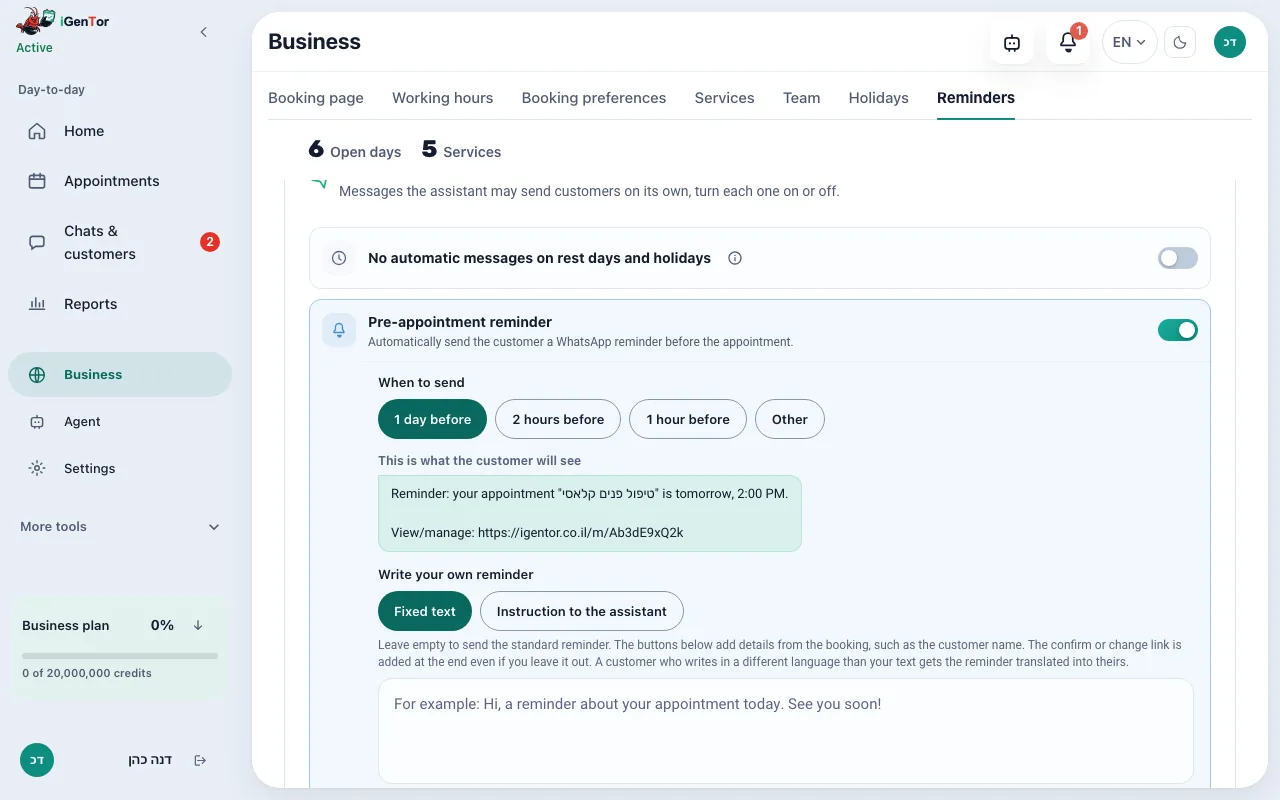
A reminder before the visit, and an optional message after it. On Business and up, a nudge when a booking was started and not finished. These are described in more detail on the reminders and leads pages.
Notes to you, on a schedule
Ready-made schedules message the owner, not the customers: a morning brief, a weekly digest, a monthly digest, an end-of-day note, tomorrow’s book, and a weekday look at the pipeline. You can also write your own scheduled instruction. Pro includes up to 4 automations, Business and Business Plus up to 15.
Campaigns
On Business and up, Marketing Studio sends a campaign to your saved contacts, with the same text for everyone or a version the AI personalizes for each one, at the time you schedule. This is a broadcast you start, not an always-on sequence.
Webhooks
On Business and up, webhooks let a tool such as Zapier or Make trigger or receive events. They are a connection, not a second product inside igentor.
You stay the sender
Customer messages still leave from your WhatsApp number. You can mute automations for a contact. Nothing here posts to a customer on a schedule you did not set.
How you turn one on
- Open Automations in the dashboard, or ask the owner assistant to set a schedule.
- Pick a ready-made owner note or write your own instruction and the clock.
- For customers, turn on the reminder and, if you want it, the after-visit message, in the booking settings.
- On Business and up, build a campaign in Marketing Studio when you want to write to a group.
- Each run is something you can see and turn off. A contact can be excluded.
What this is for
The morning list and the reminder do not depend on someone remembering.
Customers hear about their own appointment, not a generic newsletter, unless you deliberately send a campaign.
Campaigns stay on the plan that includes them, and go out at the time you set.
Other tools can connect through Zapier or Make webhooks when the built-in schedules are not enough.
Connections
- WhatsApp, for anything a customer or you receive.
- Google Calendar, because reminders and the day view follow the appointments.
- Webhooks to Zapier or Make, on Business and up.
- The owner assistant, which can create a scheduled automation from chat.
Reminders are on paid plans. Owner automations start on Pro, with a higher cap on Business. Campaigns, webhooks and the unfinished-booking nudge are Business and up.
PricingWhat does it cost?
The booking page stays free forever, and sign-up needs no credit card. The agent that answers, books and reminds comes with the paid plans, all listed on the pricing page.
Questions about automation
Is there a gallery of automations I can install?
There are ready-made schedules for the owner, listed above, and you can write your own. There is no public marketplace of customer workflows.
Will leads get a drip campaign automatically?
No. The automatic customer messages are the reminder, the optional after-visit note, and, on Business and up, a nudge for an unfinished booking. On Business Plus, where AI lead follow-up is open for the account, you can also start up to three follow-up messages for a lead that showed interest without booking, and you see the first one before it goes out. A campaign is something you send.
Can another app start an action?
On Business and up, webhooks connect tools such as Zapier or Make.
Who receives the morning brief?
You do, in the owner channel. It is not sent to customers.
Can I stop messages to one person?
Yes. A contact can be muted for automations, and you can turn each automation off.
Businesses that use this
Schedule the note you keep forgetting
Start a free trial. The reminder and the owner schedules are available on the Pro trial.
Start your free trial