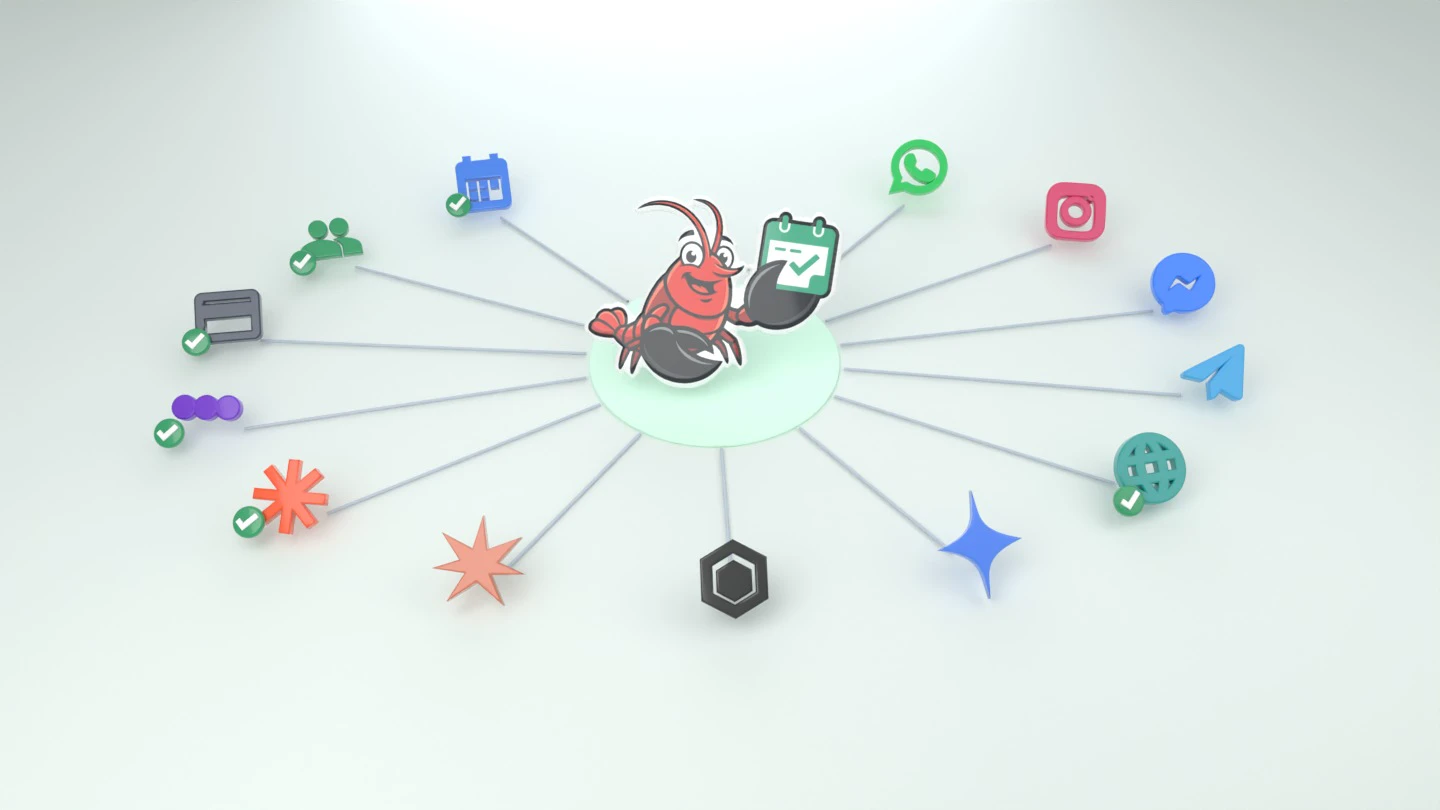
What the agent does on WhatsApp and the phone: replies, bookings, leads
WhatsApp and phone appointment booking for businesses that get dozens of inquiries a day: the agent handles several conversations at once, books in Google Calendar, sends reminders and payment links, and passes the team only what needs a person.
What the assistant actually does
Each page describes one part of the product that is available today: conversations, leads, appointments, automations and reports.
AI and customer conversations
- AI WhatsApp assistant
Reads a normal WhatsApp message, answers in the customer’s language, and hands the chat to you when a person is needed.
- AI customer service
Answers repeated questions from your documents and rules, and escalates what only you know.
- Automated receptionist
Replies on WhatsApp, books appointments and hands enquiries to your team when needed.
- Instagram and Messenger
The same agent answers Instagram Direct and Facebook Messenger, on Business and up.
Leads and customers
- WhatsApp lead management
Every new inquiry is kept with its conversation, a stage, and the channel or ad it came from.
- WhatsApp CRM
A customer record with conversations, appointments, visits, payments and notes. Not a sales board.
Appointments and calendars
- AI appointment scheduling
Understands the request, checks real availability, offers times, writes the appointment, and can move or cancel it later.
- Appointment reminders
A WhatsApp reminder from your own number before the appointment, with confirm or move in the same message.
- Online booking system
The calendar, the public booking page and reminders, including the free booking page.
Automation and campaigns
- WhatsApp automation
Scheduled notes to you, reminders and after-visit messages to customers, campaigns, and webhooks.
Running the business
- AI business assistant
A private chat for the owner: book, move, ask who is coming, message a customer, and update a rule.
- Customer analytics
Bookings, revenue, new and returning customers, and which channel or ad they came from.
Every enquiry, from first message to returning customer
- 1 · Capture
Fewer enquiries slip through the cracks
WhatsApp, and on Business and up Instagram, Messenger and phone calls with a voice agent, in one inbox. The agent answers messages within seconds, day and night, even when dozens arrive in the same hour, and keeps each lead with the channel it came from.
- 2 · Convert
Turn an enquiry into a booking
The agent answers from your own knowledge, offers real free times from your calendar and books the appointment. Open leads stay in front of you until they close.
- 3 · Retain
Bring the customer back
A reminder before every appointment, a message after it, campaigns to the right customers and a list of who is due for a return visit.
Capabilities
AI replies, 24/7
Replies within seconds, at night and at peak hours, in your tone and the customer's language.
Run the business in chat
Text the agent like a personal assistant: book or move an appointment, message a customer for you, update a price or a rule.
Understands photos and voice notes
Reads the photo a customer sent, understands a voice note, and sends photos from your gallery when they help close a booking.
Free booking page
A public booking page that stays free for life. Customers schedule online, even without a paid AI plan.
Payments & reminders
Send payment links and WhatsApp reminders before every appointment automatically.
Knows when to hand it to you
A request for a real person, or a question only you can answer, reaches you right away, with a reminder if it goes unanswered.
Campaigns & broadcasts
Send a campaign to your saved contacts, with the same text for everyone or a version the AI personalizes for each one, scheduled for the time you pick.
Analytics & expenses
Track bookings, revenue, credit usage, and AI activity over time.
Automations
Schedule recurring AI tasks or fixed messages, no code needed.
Any language
Replies in the language the customer wrote in: Hebrew, Arabic, Russian, English and more, with no setup.
CRM & lead management
Every new inquiry is captured as a lead and kept with its conversation and notes. See who is new, booked or waiting, in one place.
Owner approval flow
Choose whether the agent books on its own or each booking waits for your approval on WhatsApp.
What does the agent do inside the conversation?
The customer sends an ordinary WhatsApp message, "any space Thursday?", "how much is a facial?", "I need to move tomorrow's appointment". The agent reads it in whatever language it was written in, works out what was actually asked, and asks a clarifying question when something is missing. It does not run off a menu of buttons and does not require the customer to phrase things a particular way.
Only once the request is clear does it go to the calendar: it checks real availability for the length of the service asked for, offers times, takes the confirmation and books. If a particular provider was requested, it checks only their availability. If the customer wants to move an existing appointment, it finds it, offers alternatives and updates the calendar.
What happens once an appointment is booked?
The appointment is written to Google Calendar as a real event, not a copy in a separate system that needs syncing. Any change you make in the calendar is immediately reflected in what the agent offers, and anything the agent books appears in your calendar within seconds.
From there the follow-up chain runs: an immediate confirmation to the customer, a reminder before the appointment with confirm-or-move in one message, and if you configured it, a payment or deposit request via a payment link sent automatically. You can also set a follow-up message after the treatment that invites the customer to book again.
How much control do I have over what it says?
You decide. You write its instructions in plain words: the tone, what it is allowed to promise, how it addresses customers. You can upload knowledge-base documents (price list, cancellation policy, preparation instructions) and it answers from those rather than guessing.
You can also define topics where it does not answer at all and instead hands off to you with an alert. That is what makes it usable in clinics and therapeutic practices, where a clinical question should not be answered by software. In any conversation you can mute it in one tap and carry on by hand, and you can require your approval before certain appointments are confirmed.
Can I run the business through the chat with the agent?
Yes. Next to the agent that answers customers you have a personal assistant in a private chat, on WhatsApp or in the dashboard. Write it one line, "book Itai for a consultation Thursday at 16:30", "move Nir to next week", "who is in tomorrow?", and it does it on the calendar and confirms. You can ask it to message a customer for you, even a new number, and it writes in the customer's language. When the customer replies, the agent carries on from there.
That is also how you teach it. Write a new rule, forward it a wrong answer with the correction, or send a photo of a price list, and it updates its rules and knowledge base. When a new rule contradicts an existing one it says so and asks what to do, instead of keeping two rules that clash. A Google review request after every visit, the reminder wording or a wait before replying are set the same way, in one sentence.
Does the agent understand photos and voice notes?
Yes. When a customer sends a photo, of a tattoo, of hair or of a document, the agent understands what is in it, answers accordingly and asks for what is missing. A voice note is transcribed and answered like a written message, and you can have it reply by voice too. The other way round, you can upload photos of your work, before and after, a price list or directions, write when to send each one, and the agent sends the right photo at the moment it helps.
What happens when the agent does not know the answer?
The agent is instructed to answer from your rules and knowledge base, and an AI answer can still be wrong, so every conversation is visible to you and you can step in. A question your rules and knowledge base do not answer is checked against what you have already set up, and if something only you know is left open, it reaches you as an open question rather than a guessed answer. A customer who asks for a real person gets an honest reply that the request went to you, and you get a message on WhatsApp and in your assistant chat. If you have not answered within two hours you get one reminder, and when you reply to the customer yourself the request is closed.
What is there beyond booking?
Once every conversation runs through one place, things that are hard to do by hand open up: a customer list that builds itself with conversation and treatment history; campaigns to your saved contacts, with one text or a version the AI personalizes for each, sent at the time you schedule; analytics on where appointments come from and when your busy hours are; and automations that run message sequences off an event.
The dashboard shows all of it live, every open conversation, every appointment booked, and every case the agent handed to you. You can step into any conversation at any moment and continue it yourself.
What happens to my data?
Conversation data is yours alone. We do not train models on your messages, traffic is encrypted, and you can delete your account and its data from Settings at any time. The privacy policy lists what is kept after deletion, such as backups and records the law requires, and which service providers process the data. If you stop paying, the booking page and the appointments booked through it stay free, while the WhatsApp agent and the other dashboard screens pause.
Does it work in any language?
Yes, with no configuration. The agent detects the language of the incoming message and replies in it, and switches mid-conversation if the customer does. For a business with a mixed customer base that is the difference between someone feeling at home and someone getting a reply in a language they do not read.